AGV on-board application
INTRO
Dematic is a major player in automated vehicles (AGV’s) such as forklifts. They asked us to work on the conceptual design of the on-board controller: an application accessible through a touch screen on the vehicle, used to provide information about its status and enable its calibration.
This application is very different from a typical app. In best case scenario, the user should not interact with the application at all.
In worst case scenario, the users must notice that something is going wrong from a distance and easily receive troubleshooting guidance.
The interaction paradigm is very different from the perspective of service and maintenance. Users rely on it a lot and need to be able to navigate to and calibrate a lot of different parameters.
Key responsibilities
Lead a rotating team of designers and researchers
Project management
Co-design workshops
Field studies
Conceptual design
Documentation
Project context map. As project members were rotating in and out of the project according to availability and specialty required, it was important to onboard new members as fast as possible. I made this map to visualise important context information.
CONCEPT

Indicative design decisions:
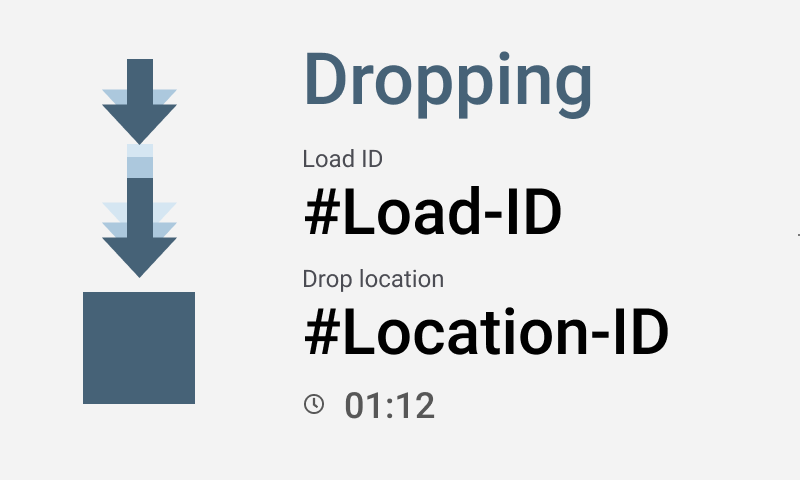
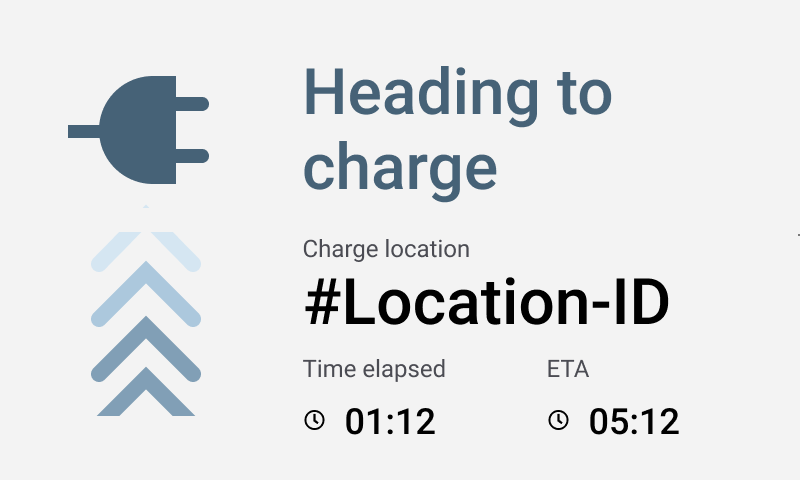
- We came up with an entirely new type of screens, meant to provide situation awareness from a distance while the vehicles are moving, thus raising worker’s confidence in automation. People will be able to understand why the vehicles are moving and where are going at a glance.
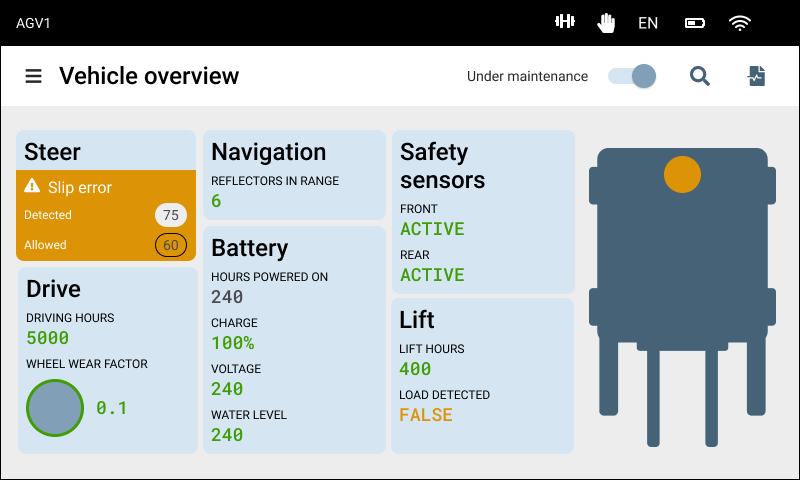
- We completely overhauled the information architecture of the application. We separated completely the information related to the vehicle task (received through the back-end system) and the information related to the vehicle state generated from sensors, actuators and other vehicle hardware.
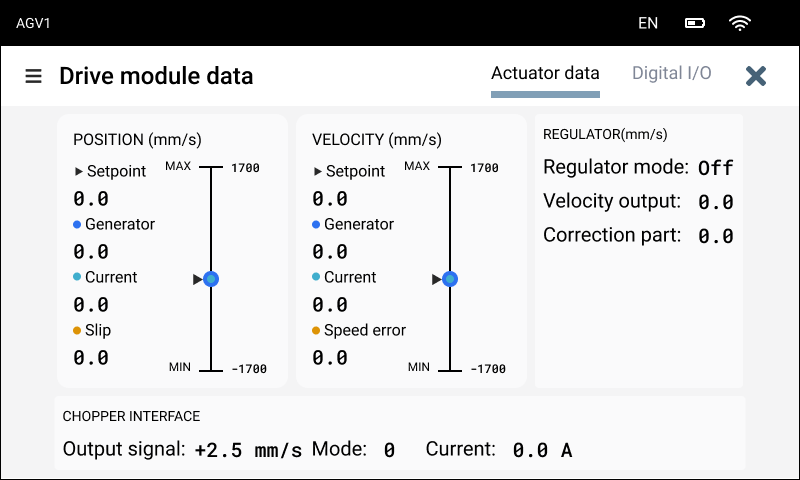
- In the previous application, parameters were organised per type (e.g. all the boolean parameters together). We reorganised these parameters based on the hardware component they are related to, better matching the vehicle mental model of the users who perform maintenance.
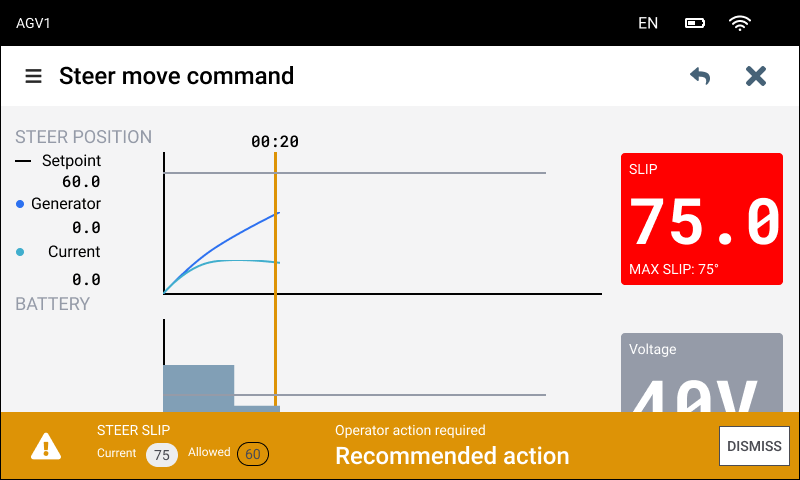
- We used analog displays for numeric values, making them more visible when the vehicle is moving, as calibration tasks usually include walking next to the vehicle and monitoring the progression of values on the screen.
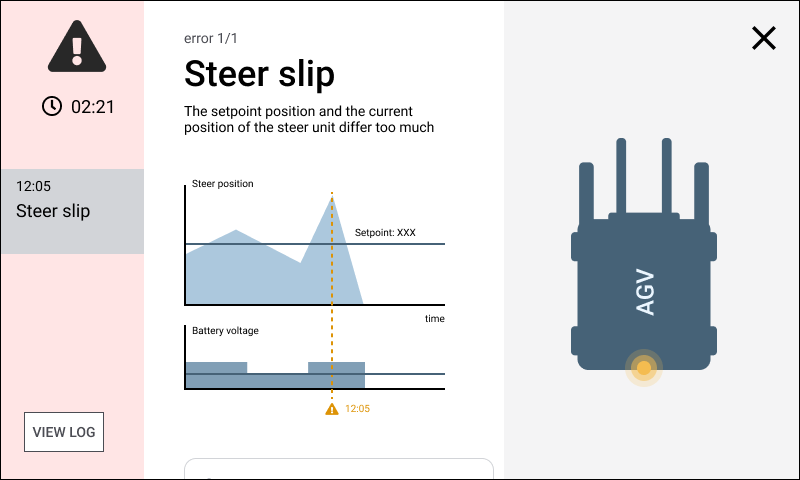
- We introduced trends and other data visualisation patterns for error diagnosing and we embedded troubleshooting guides currently found only on paper.
DOCUMENTATION
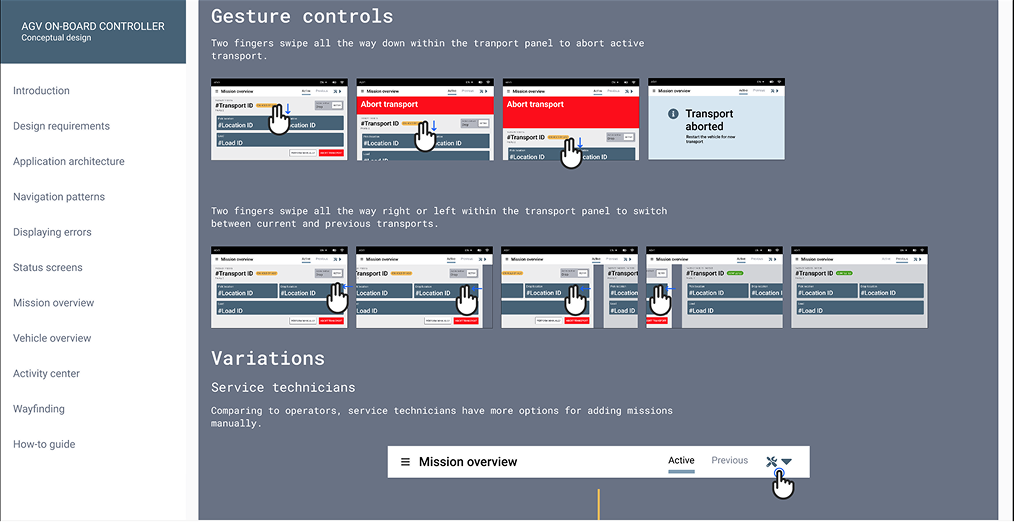
As our project sponsors had to present our work to various stakeholders after the end of the project, one of our final deliverables was a Figma prototype documenting the entire concept.