
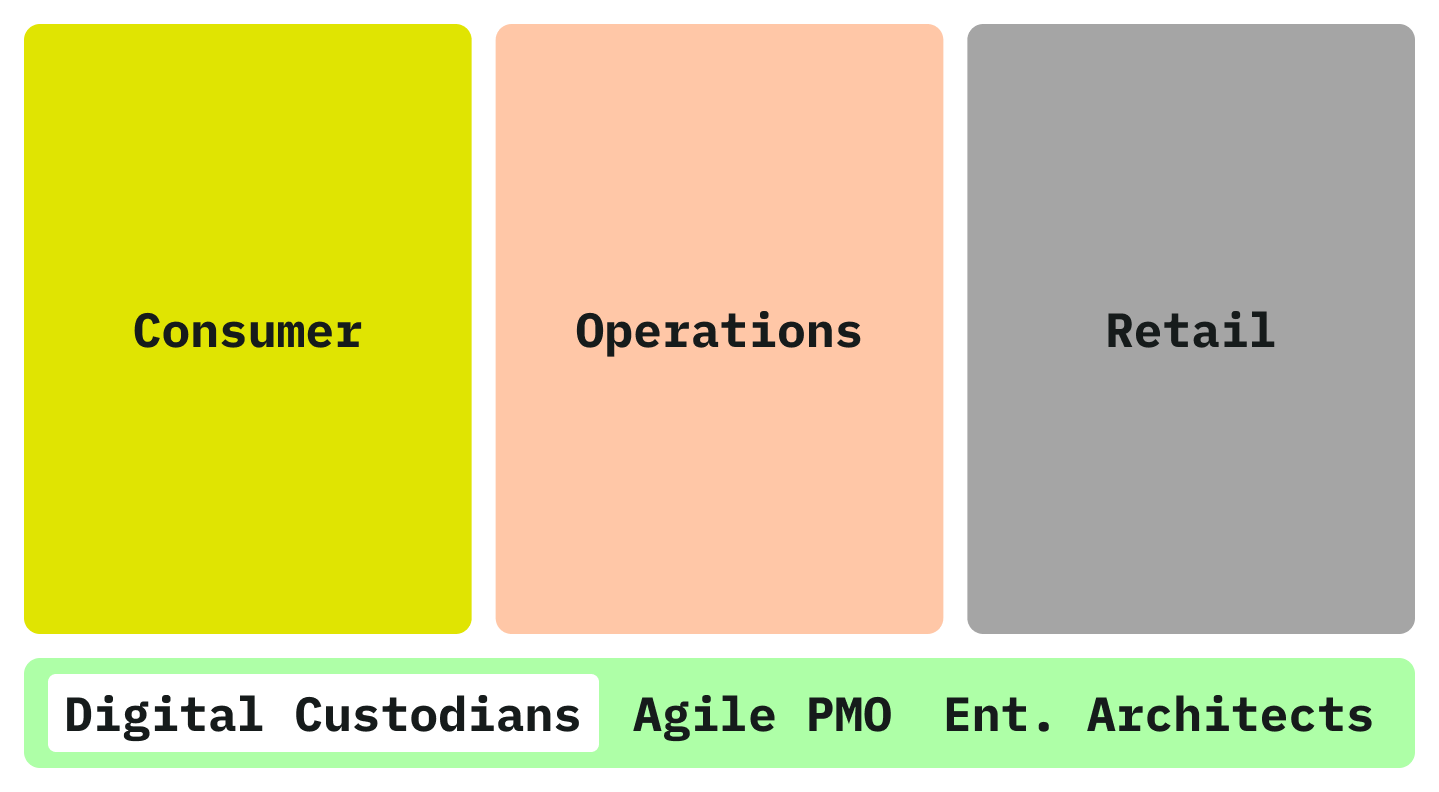
BPOST serves more than 10 million customers and employs over 26,000 people. Its digital estate spans customer-facing services and internal products for operations, HR and retail—more than ten distinct products built across multiple technologies.
As Design System Owner, I led WRAP to reduce this fragmentation: establishing shared architecture, component libraries and token infrastructure across Figma, Angular, iOS and Android.

Owned and maintained Figma libraries and the shared token architecture.
Designed and specified cross-platform UI components.
Managed the design-system backlog and roadmap.
Drove adoption across product teams by aligning product, design and engineering stakeholders.
Defined the design-system architecture across platforms.
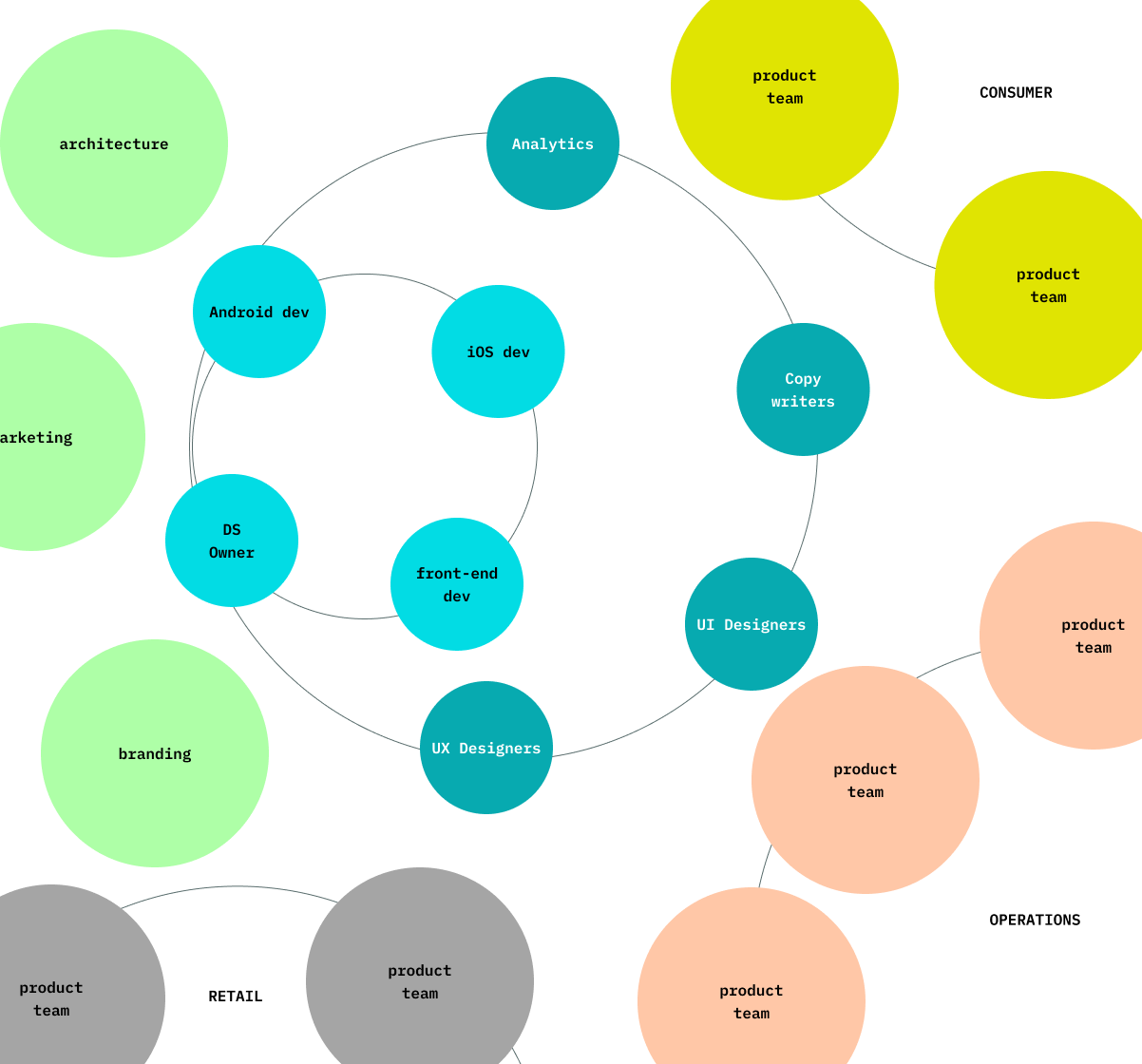
WRAP grew within Digital Custodians, a multidisciplinary team providing design systems, UX, UI, analytics and content expertise to product teams across three tribes.
Its purpose was to codify and share product-design decisions across BPOST. Four operating principles shaped the system’s architecture and adoption:
Maintain consistent naming, structures and attributes across Figma, Angular, iOS and Android wherever viable.
Do not override native UI patterns for the sake of consistency. Use each platform’s conventions to create predictable, trustworthy behaviour: local coherence over global uniformity.
Let teams adopt the system at the depth and pace their product context allows.
Respect existing design, technology and organisational practices unless they create UX risk. Prefer incremental change over radical reinvention.
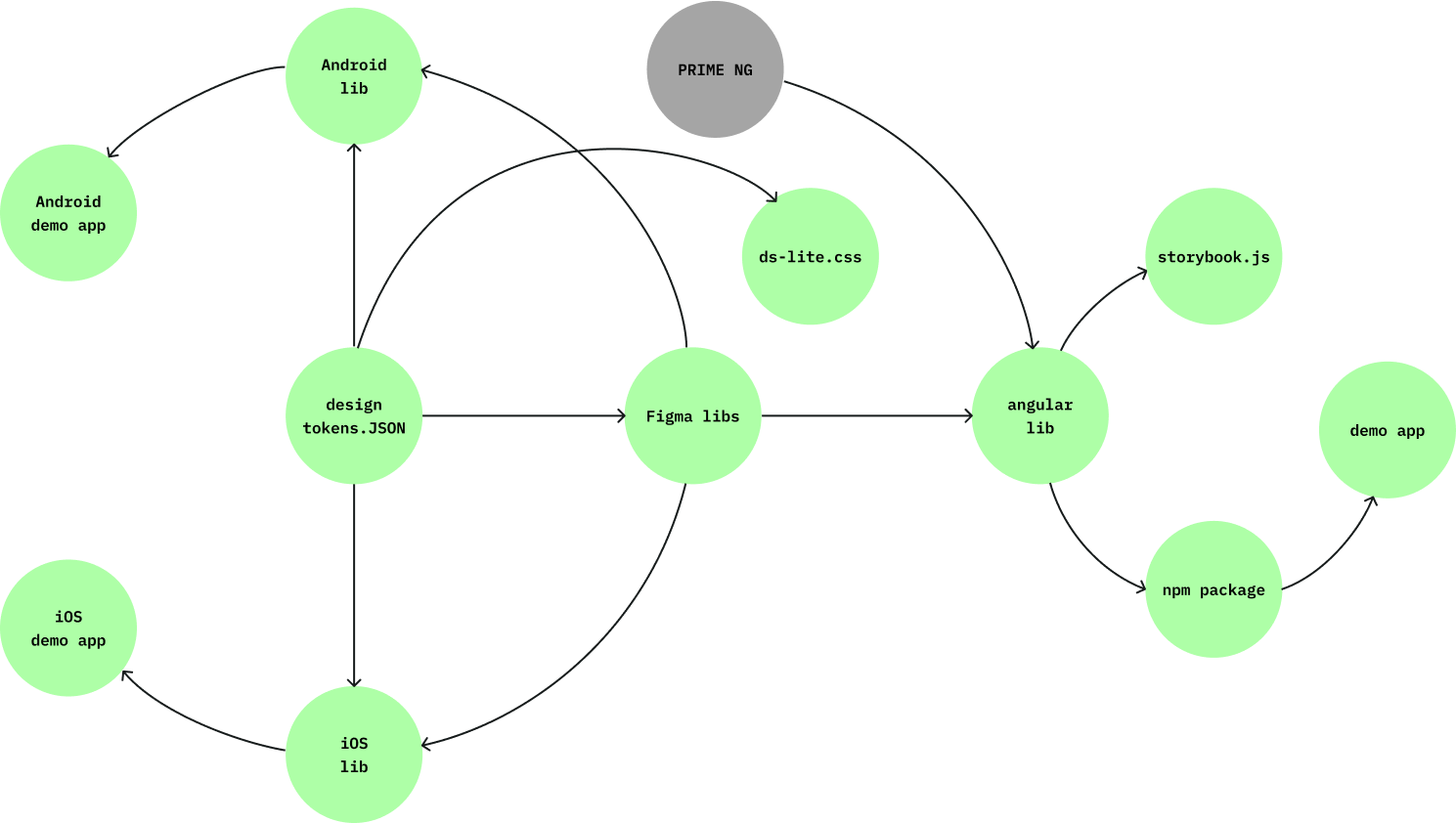
Design decisions were encoded as tokens in a single JSON source and translated semi-automatically into styles and variables for Figma, Angular, iOS and Android:
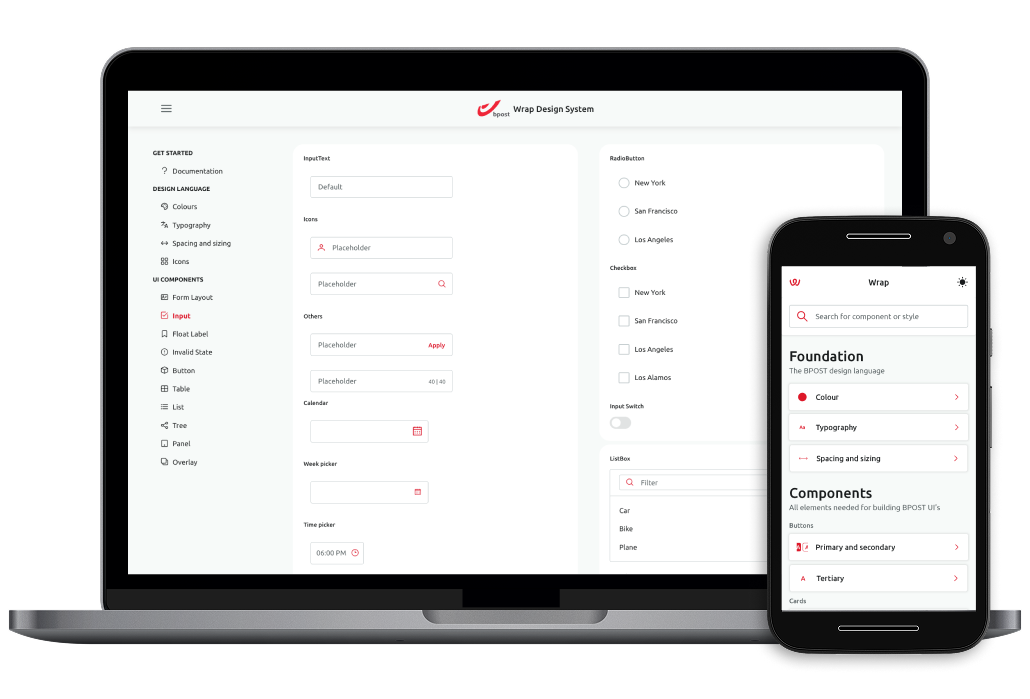
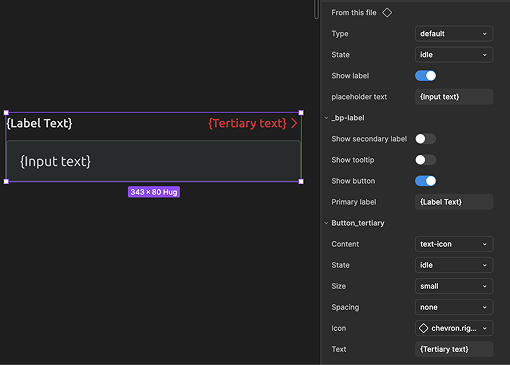
The Figma libraries contained component designs and specifications. Engineers implemented them in platform-specific code libraries.
Demo applications showed components in use across all platforms, with Storybook supporting the Angular library. PrimeNG provided a dependency for the Angular implementation.
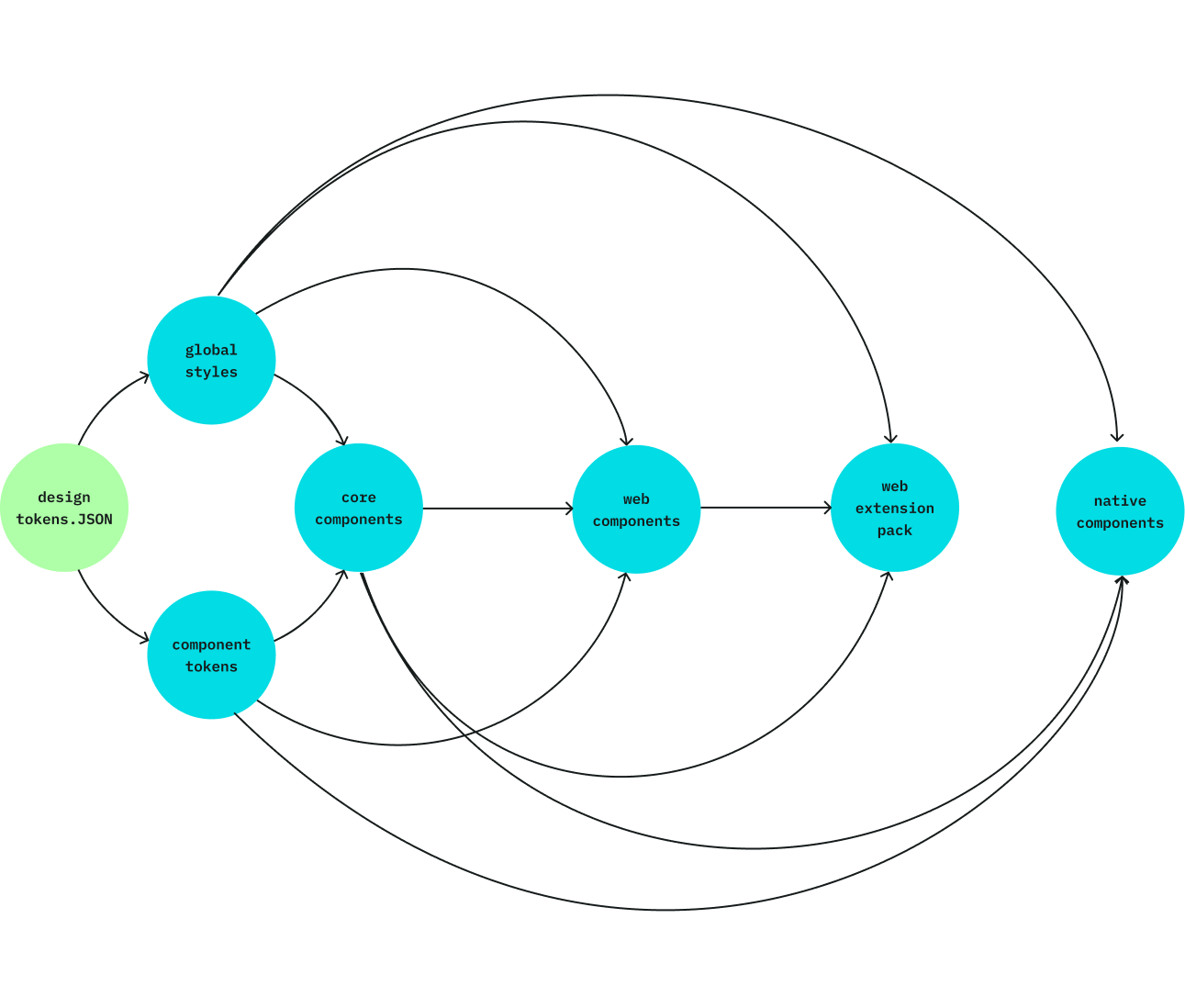
In Figma, shared design decisions were translated into variables and styles in the global styles library.
A separate component tokens library stored dark-mode overrides for components whose default global styles created accessibility issues.
The global styles library was available to designers; component tokens remained internal to the design-system team.
Both libraries fed every component library:
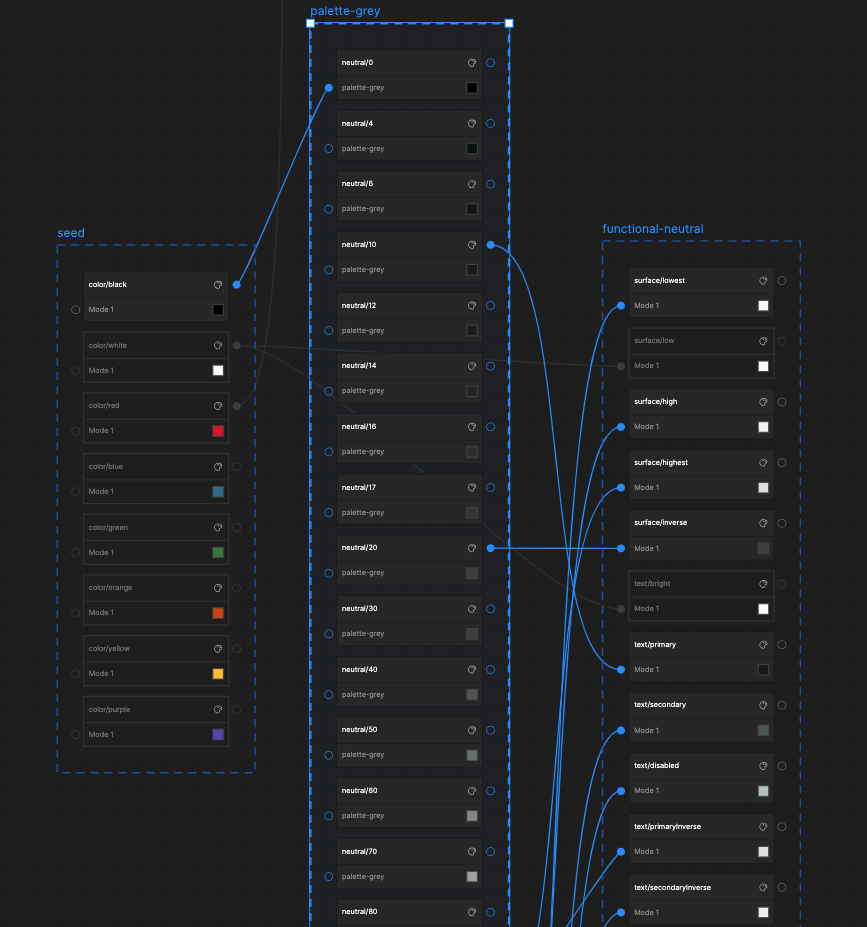
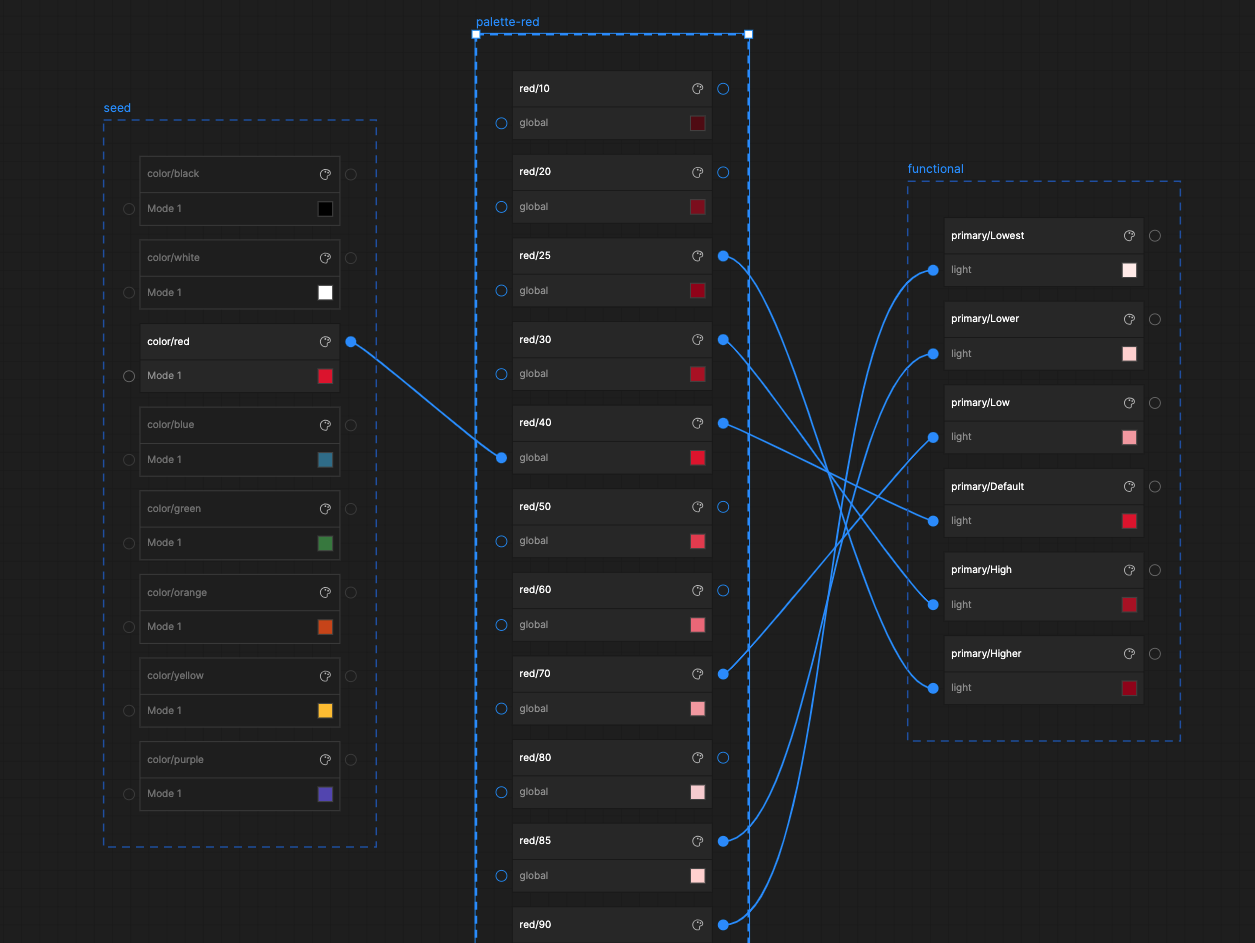
Colour-related design decisions were encoded in a multi-tier token architecture supporting light and dark modes:
For functional colour, I adopted a naming convention based on Google Material. Each colour ranged from low to high contrast against its background—for example, primaryLow, primaryDefault and primaryHigh. This functional tier was the only one exposed to designers.
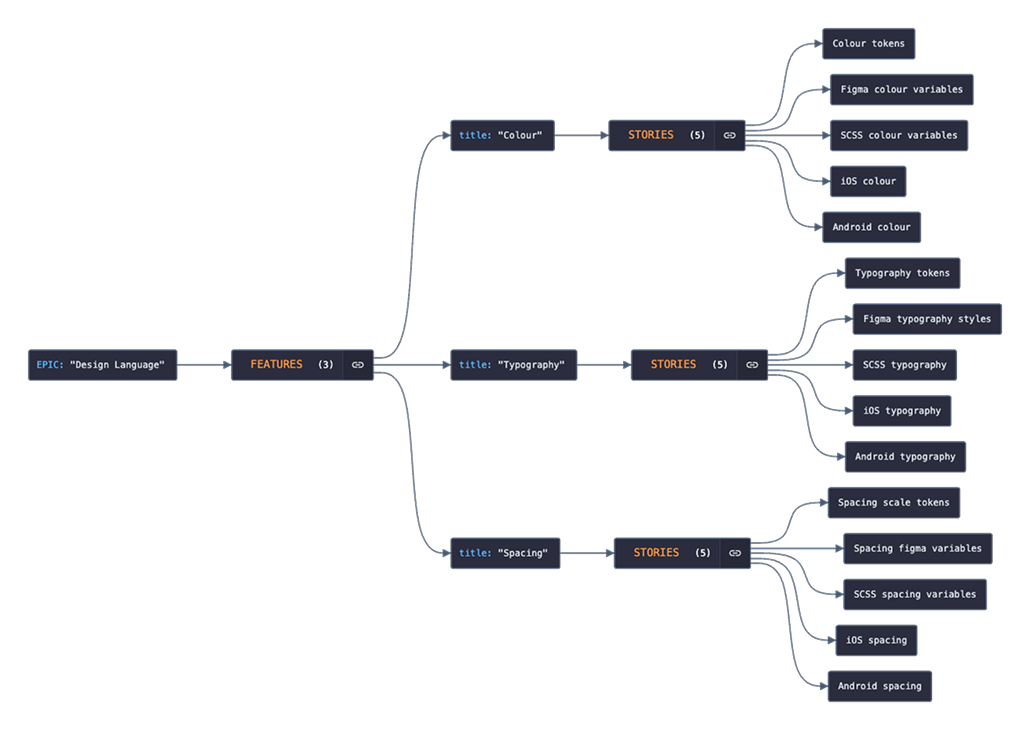
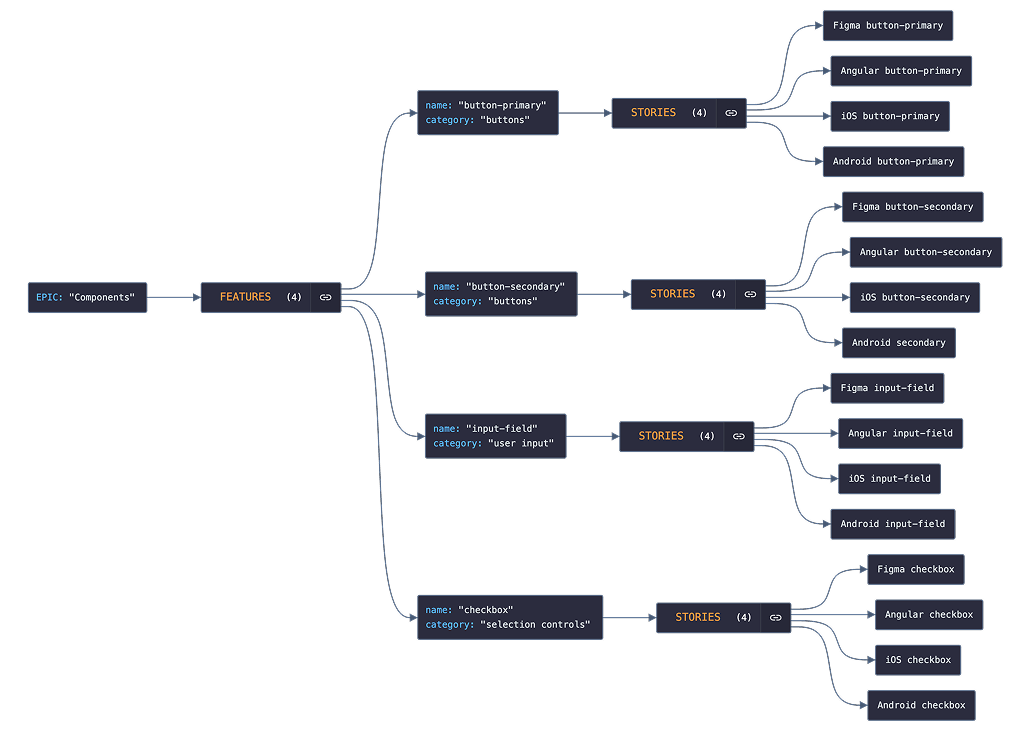
We organised the roadmap into six epics:
We defined a design-system feature as “an addition that brings substantial value to users, regardless of platform.”
Platform parity—also called stack mirroring—meant a feature was not complete until it was available to both designers and engineers.
We treated adoption as a spectrum rather than a binary state. A team could begin by exploring WRAP, adopt its design language through tokens and styles, use selected components, build an entire feature with the system or eventually contribute back to it.
Our strategy combined bottom-up enablement with top-down governance. We started with a product-portfolio audit to identify where WRAP could create the most value, then focused component development on upcoming product features rather than asking teams to retrofit existing interfaces.
At team level, I met people directly, joined their rituals and presented WRAP in the context of their work. The system engineers supported adoption through technical walkthroughs and pair-programming sessions. Requests and system-related stories were managed through Jira, allowing the roadmap to respond to real product demand.
We also expanded the system around teams’ practical needs. Alongside the component libraries, we provided demo and boilerplate applications, plus a lightweight CSS implementation for products outside the Angular stack.
At organisational level, we began working with enterprise architects and delivery managers on automated governance. The proposed approach would scan deployments for WRAP component tags and flag expected components that were missing. The concept had been defined but was not implemented before I left BPOST.
We monitored adoption through package installations and the progress of WRAP-related Jira stories. This showed full adoption among product designers and the BPOST app development team, and some level of adoption across 45% of Angular-based internal applications. HR did not adopt the system because stakeholders did not see sufficient value, while retail’s technology remained incompatible and its planned Angular redevelopment was repeatedly postponed.
Beyond the numbers, WRAP gave product designers greater confidence and influence. With the design system team supporting them, they could bring tangible solutions into development discussions with feasibility questions already resolved and engineering estimates available.
WRAP established a shared foundation of 50+ components across Figma, Angular, iOS and Android, supported by shared tokens and implementation tooling.
Together, these outputs created a shared path from design decisions to platform-specific implementation for designers and engineers.

STEFANOS MONASTIRIDIS
0032485654553 STEFANOS@STMN-DESIGN.COM
LINKEDIN